

Running a small e-commerce store in Canada? Here's something that might surprise you: most ecommerce stores that fail don't close because of bad products or poor marketing. 82% crash because they can't manage their cash properly. That's a staggering number, and it highlights why keeping accurate financial records isn't just important—it's literally the difference between staying open and shutting down.
Think about it. When you're scrambling to remember which receipts go where, manually typing numbers into spreadsheets at midnight, or panicking every time the CRA sends a letter, you're not just wasting time. You're putting your entire business at risk. Good financial tracking software fixes all that. It keeps everything organized, saves you countless hours, makes sure you're following CRA rules, and turns GST/HST filing from a nightmare into something you can handle over coffee.

This guide breaks down what each tool actually costs, what they're genuinely good at, and how partnering with an ecommerce tax accountant can help you pick the right tool so you can focus on growing instead of drowning in paperwork.
What You'll Learn:
- QuickBooks and Xero handle GST/HST filing automatically—no more CRA panic attacks
- FreshBooks and QuickBooks cut your invoicing and data entry time dramatically
- Budget options range from Wave's completely free plan to QuickBooks at CAD 20/month
- Xero and Zoho Books sync with your bank and other apps, so you stop juggling multiple systems
The Five Best Financial Software Options for Canadian Small Business Owners
Picking financial software feels overwhelming when you're staring at dozens of options. We've tested these with real Canadian business owners—people running everything from consulting firms to retail shops. Here's what actually works:
QuickBooks Online - The Industry Standard Everyone Knows
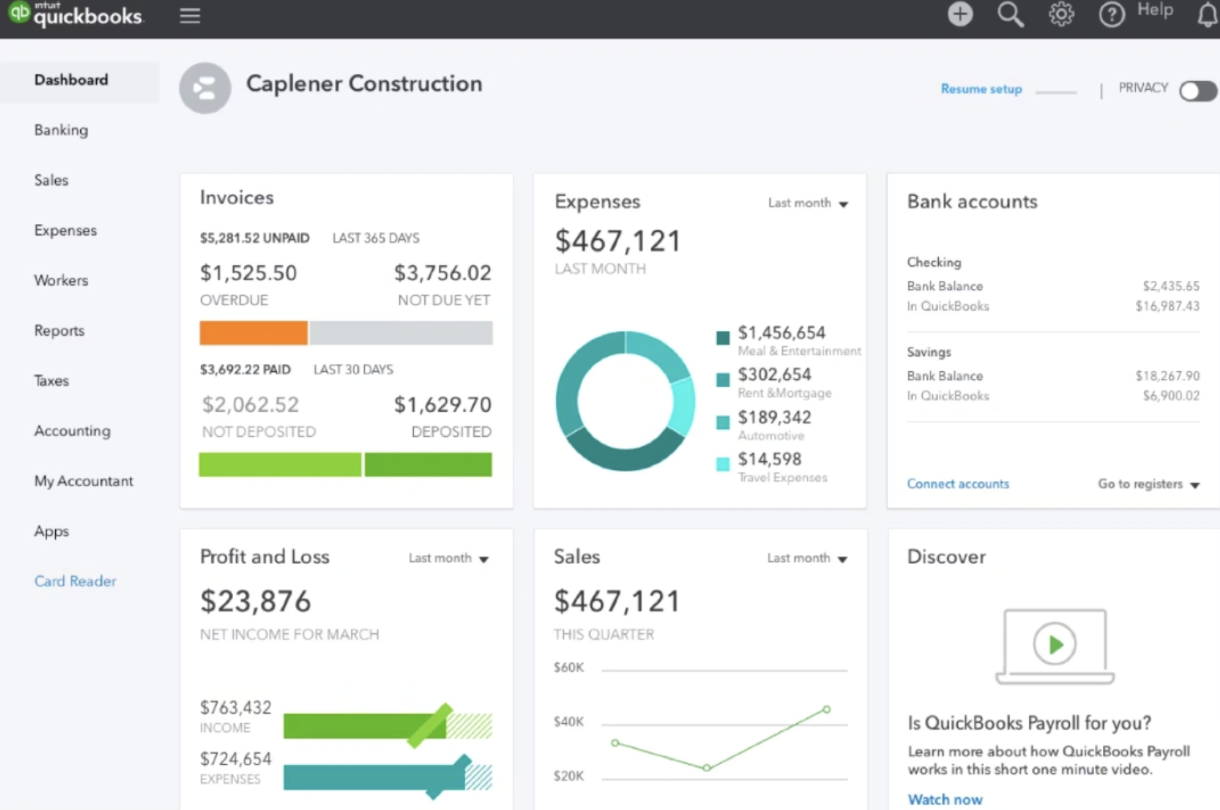
Most Canadian accountants already know QuickBooks inside and out, which matters more than you'd think. When tax season hits or you need help troubleshooting, finding someone who can assist takes minutes, not days.
What It Does Well
- Automatically calculates GST/HST and prepares your tax filings
- Links directly with TD, RBC, Scotiabank, and basically every Canadian bank
- You and your accountant can both work in the system at the same time
- Tracks products across multiple store locations or warehouses
- Already configured for Canadian tax laws right out of the box
The Good Parts
- Works for almost any type of business operating in Canada
- The mobile app lets you photograph receipts while you're out and automatically categorizes them
- Generates tons of detailed reports you can customize however you need
- Your accountant probably already uses it, making collaboration seamless
The Not-So-Good Parts
- Costs more than most alternatives on this list
- Takes a few hours to learn properly—there's a learning curve
- Customer support quality varies depending on when you call and who answers
What You'll Pay
- Basic plan: $25 every month (covers invoicing and expense tracking)
- Essentials plan: $40 every month (adds bill management and time tracking)
- Plus plan: $60 every month (adds inventory management and project tracking)
- Advanced plan: $100 every month (adds advanced reporting and priority support)
FreshBooks - Perfect for Freelancers and Service Providers
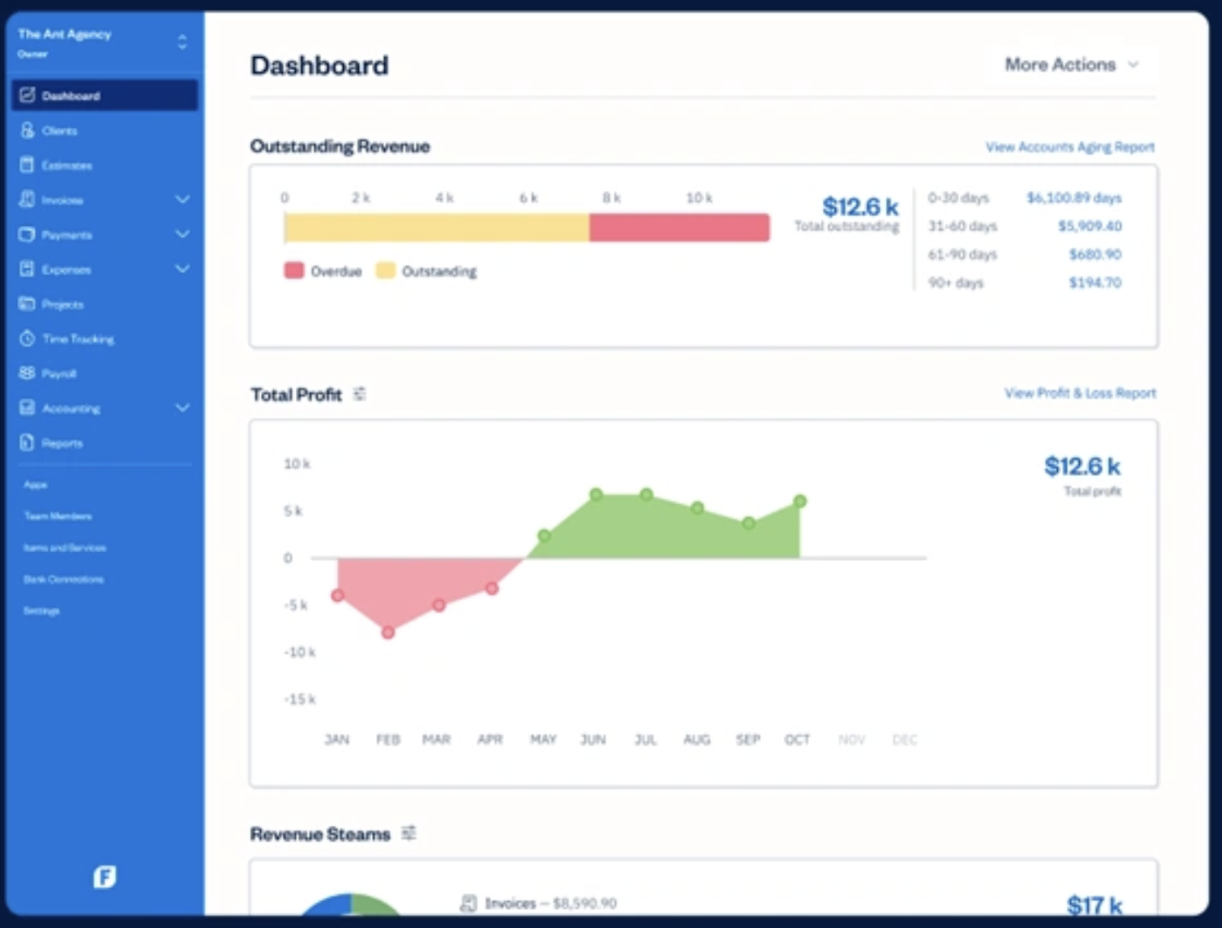
If you're a freelancer, consultant, or service provider who bills clients by the hour, FreshBooks was basically built for you. It makes invoicing ridiculously easy—which is exactly what freelancers need most.
What It Does Well
- Creates professional invoices fast and sends automatic payment reminders
- Tracks every hour you work and drops it straight onto client invoices
- Shows clearly whether individual projects are actually making you money
- Clients can view invoices online and pay immediately through the portal
- Makes GST/HST reporting way less painful
The Good Parts
- Easiest interface by far—uses plain English instead of accounting jargon
- Setup takes maybe 30 minutes, sometimes less
- Takes photos of receipts and categorizes expenses automatically
- The mobile app works just as smoothly as using it on your computer
The Not-So-Good Parts
- Doesn't really handle inventory well if you sell physical products
- Generates fewer types of reports compared to QuickBooks
- Charges extra for features that seem pretty basic, like recurring invoices
What You'll Pay
- Lite plan: $20 per month (handles 5 clients with unlimited invoices)
- Plus plan: $36 per month (handles 50 clients plus automatic payment reminders)
- Premium plan: $60 per month (unlimited clients plus project profitability tracking)
Wave - Surprisingly Good for Being Completely Free
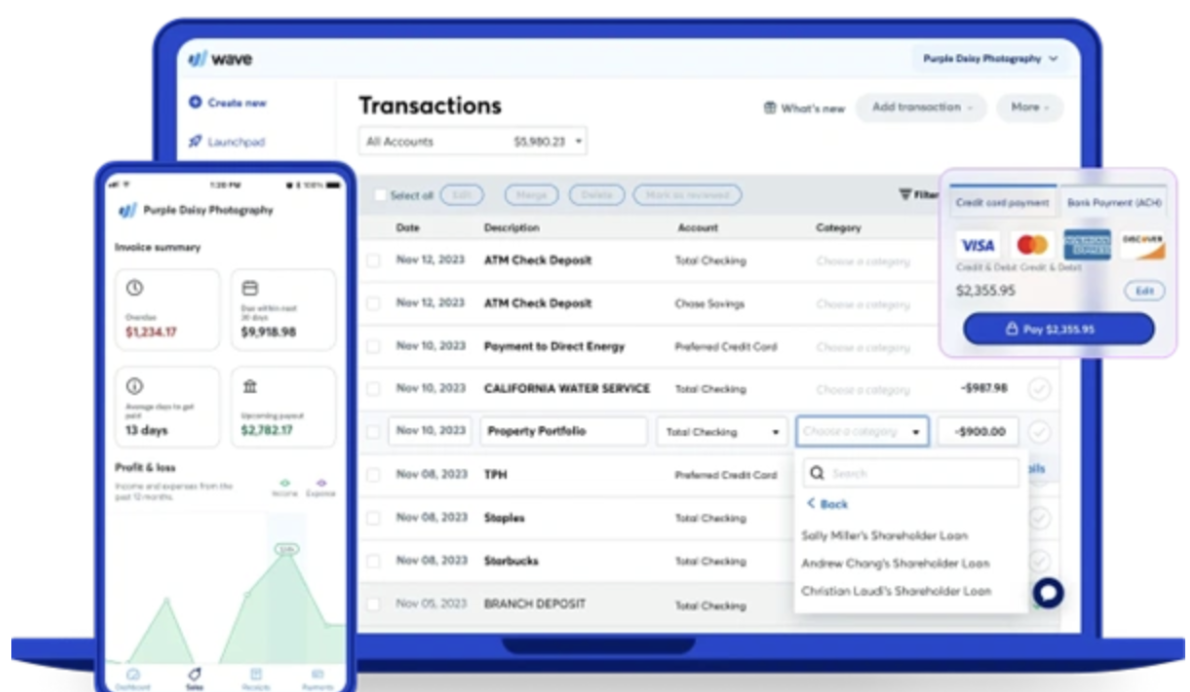
Wave costs absolutely nothing, which seems too good to be true. But here's the thing—it actually works really well for startups and small businesses with straightforward needs. They make money by charging fees if you use their payment processing services, but the core accounting software? Completely free forever.
What It Does Well
- Free accounting with no limits on invoices or expense tracking
- Connects automatically to Canadian banks
- Calculates and tracks GST/HST
- Lets you scan receipts using your phone camera
- Keeps personal expenses separate from business ones
The Good Parts
- Genuinely free—not a trial that expires or a "freemium" model with crippled features
- No sneaky restrictions on the free version
- Creates surprisingly detailed reports for software that costs nothing
- Simple enough that you don't need an accounting degree to use it
The Not-So-Good Parts
- Can't customize reports or invoices as much as paid software allows
- Shows ads and constantly suggests you upgrade to their payment processing
- Charges 3.4% plus $0.30 per transaction if you do use their credit card processing
- Support is email-only and responses can take a while
Xero - Built to Scale as Your Business Grows
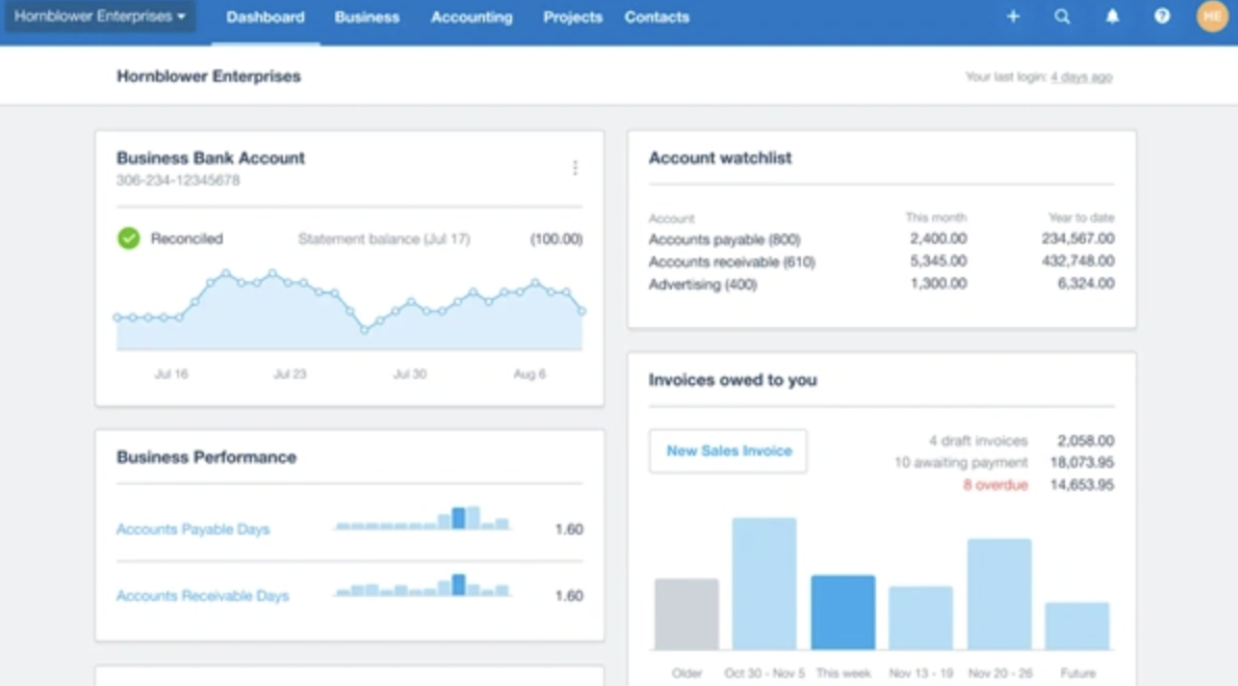
Xero might take longer to learn than FreshBooks or Wave, but once you've got it figured out, it handles complexity really well. If you're planning to grow significantly or you work with international clients, Xero keeps up.
What It Does Well
- Handles multiple currencies and updates exchange rates every day
- Allows unlimited users without charging you more per person
- Tracks time and project expenses comprehensively
- Strong inventory management features
- Manages fixed assets and calculates depreciation automatically
The Good Parts
- Most customizable dashboard and reporting system
- Excellent for businesses running multiple entities or divisions
- Integrates smoothly with hundreds of other business tools
- Detailed audit trail showing exactly who did what and when
The Not-So-Good Parts
- Takes significantly longer to learn than simpler options
- Requires third-party add-ons for Canadian payroll functionality
- Fewer Canadian accountants are familiar with it compared to QuickBooks
- Basic features require higher-tier paid plans
What You'll Pay
- Early plan: $20 monthly (limited to 20 invoices and 5 bills)
- Growing plan: $35 monthly (unlimited invoices and bills)
- Established plan: $60 monthly (adds multiple currencies and project tracking)
Quick Comparison: Which One Actually Fits Your Business?
Too many choices making your head spin? Here's a straightforward comparison table:
| Software | Starting Price | How Easy to Use | Who It's Best For | GST/HST Support | Free Option Available? |
| QuickBooks | CAD 20/month | Medium difficulty | Small to medium businesses | Yes | No |
| FreshBooks | CAD 20/month | Very easy | Freelancers and consultants | Yes | No |
| Wave | Free | Very easy | Startups and bootstrapped businesses | Yes | Yes |
| Xero | CAD 25/month | Medium difficulty | Growing businesses | Yes | No |
Why This Decision Actually Matters for Your Business
Sure, having small business tax professionals on your team matters a lot in today's complicated tax environment. But that doesn't mean you can ignore choosing solid financial tracking software. The two work together.
What Good Software Actually Does for You
Remember those messy Excel spreadsheets where you could never find the right tab? Where formulas broke mysteriously and you lost hours of work? Those days can be over. Here's what proper software delivers:
- Saves You Massive Amounts of Time: Software automates boring repetitive stuff like sending invoices, reconciling your bank accounts, and categorizing expenses. What used to take hours now takes minutes.
- Keeps You Legal: Automatically calculates GST/HST for your returns and generates financial reports formatted exactly how CRA wants them. No more guessing if you've done it right.
- Eliminates Costly Mistakes: Removes those manual data entry errors that can cost you serious money during tax audits or when making business decisions based on wrong numbers.
What Canadian Small Businesses Actually Need
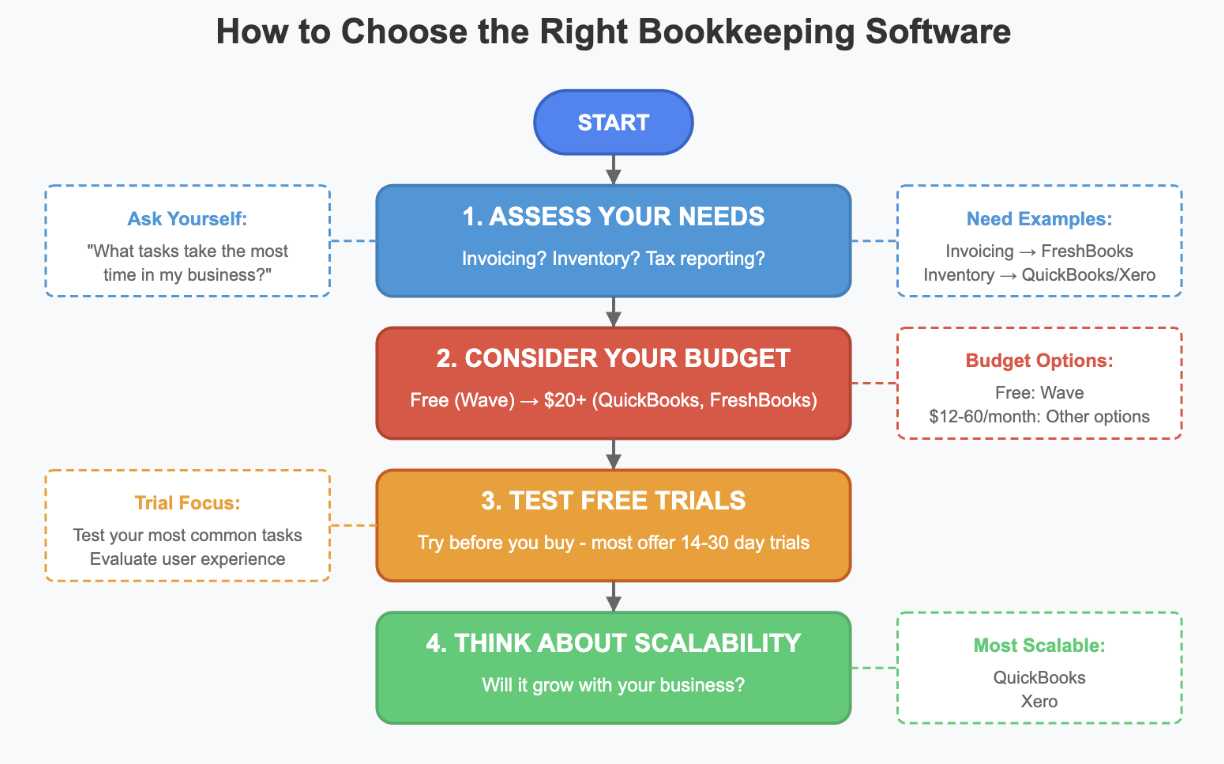
Businesses registered for GST/HST in Canada must follow specific rules and submit regular reports to the Canada Revenue Agency. The right software that actually understands these Canadian requirements makes compliance easier and reduces that constant background stress.
Does your software connect directly to RBC, TD, or Scotiabank? Can it generate reports formatted for CRA submissions? These aren't just nice-to-have features—they're essential questions to answer before tax deadlines sneak up on you.
Smart tip: Even small improvements in efficiency let you spend more time actually building your business instead of drowning in administrative busywork. If you run a Shopify store, professional shopify bookkeeping services help you get maximum value from your software while keeping everything compliant.
Final Thoughts and Getting Expert Help

Choosing the right financial tracking software for your small business saves time, prevents expensive mistakes, and keeps you compliant with CRA regulations. Whether you're an independent contractor managing invoices or a business owner juggling inventory, solutions like QuickBooks, FreshBooks, Wave, Xero, and Zoho Books address different needs at different price points.
SAL Accounting specializes in helping businesses exactly like yours optimize financial processes. Their team understands the specific challenges Canadian ecommerce stores face—managing GST/HST, dealing with CRA requirements, tracking expenses properly, and making sense of financial reports.
From selecting the perfect platform for your particular business needs to configuring custom features that match how you actually work, SAL Accounting becomes your trusted partner in financial management. They let you concentrate on growing your business while handling the financial complexities that bog down most small business owners. Contact them today for a FREE consultation and discover how we can help your business achieve results—streamlined operations, eliminate errors, and increased profitability through proper financial systems that actually work.
- Number: (416) 848-8470
- Email: Tax@salaccounting.ca
- Toronto’s Location: 330 Bay St. Unit 1401, Toronto, ON M5J 0B6
- Mississauga’s Location: 55 Village Centre Pl, Suit 734, Mississauga, ON L4Z 1V9, Canada